
Documentation Index
Fetch the complete documentation index at: https://julius.ai/docs/llms.txt
Use this file to discover all available pages before exploring further.
Overview
You can view and manage what the learning sub agent has discovered about your data connectors at any time. Navigate to your Data Connectors page to access your learned information.
Step 1: Navigate to Data Connectors
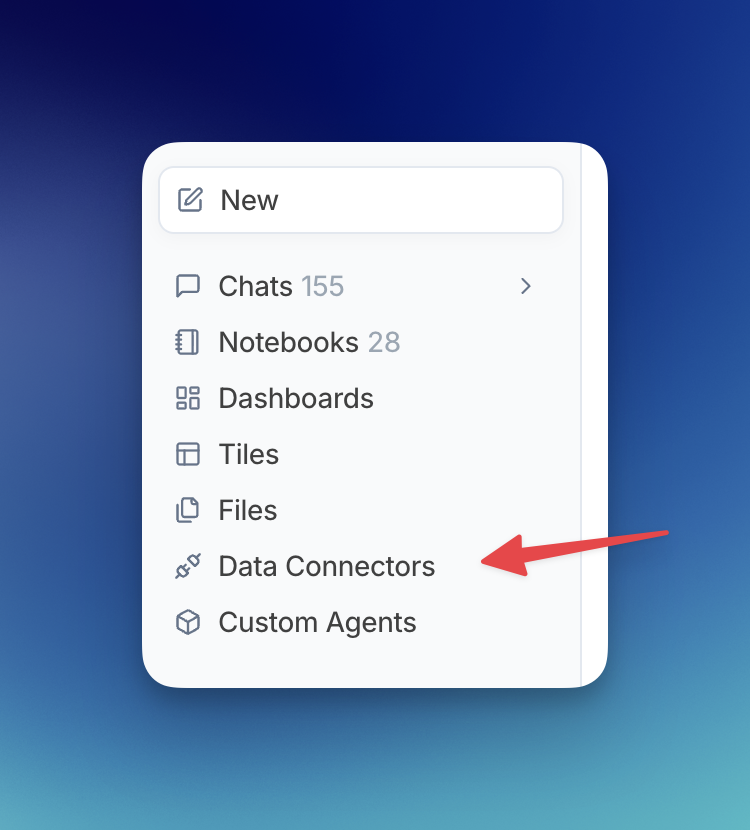
Open the sidebar menu and click on Data Connectors, or visit julius.ai/data-connectors directly.
Step 2: Select Your Connector
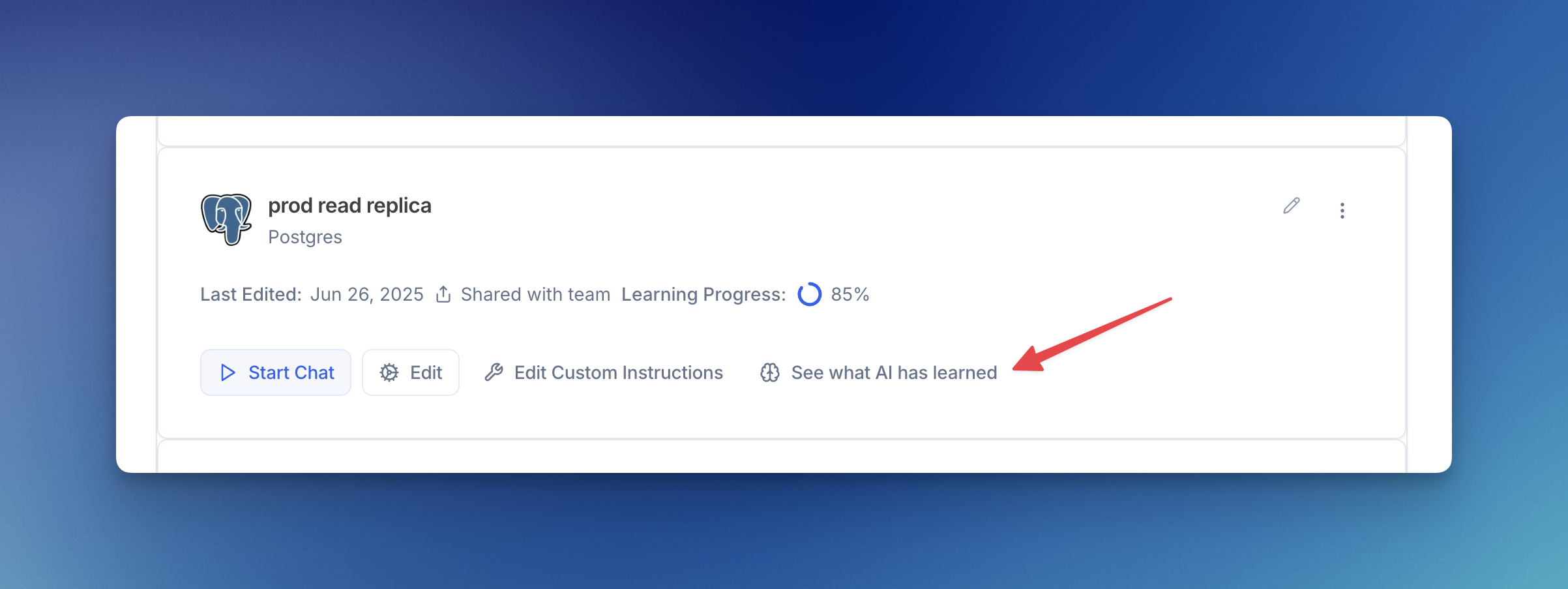
Find the data connector you want to view and click See what AI has learned.
The learning progress indicator shows how much Julius has learned about your connector. As you use the connector more, and more rows are added to the learned information table, this percentage will increase to a max of 85% currently!
Step 3: View Learned Information
Click the Learned Information tab to see all the schema knowledge Julius has discovered. Here you can:
- View all learned properties: See the table and column names along with their learned descriptions
- Refresh: Manually trigger the learning sub agent to analyze recent conversations
- Freeze Schema: Prevent the sub agent from making automatic updates
- Add Property: Manually add your own schema knowledge
- Delete entries: Remove individual learned properties by clicking the X
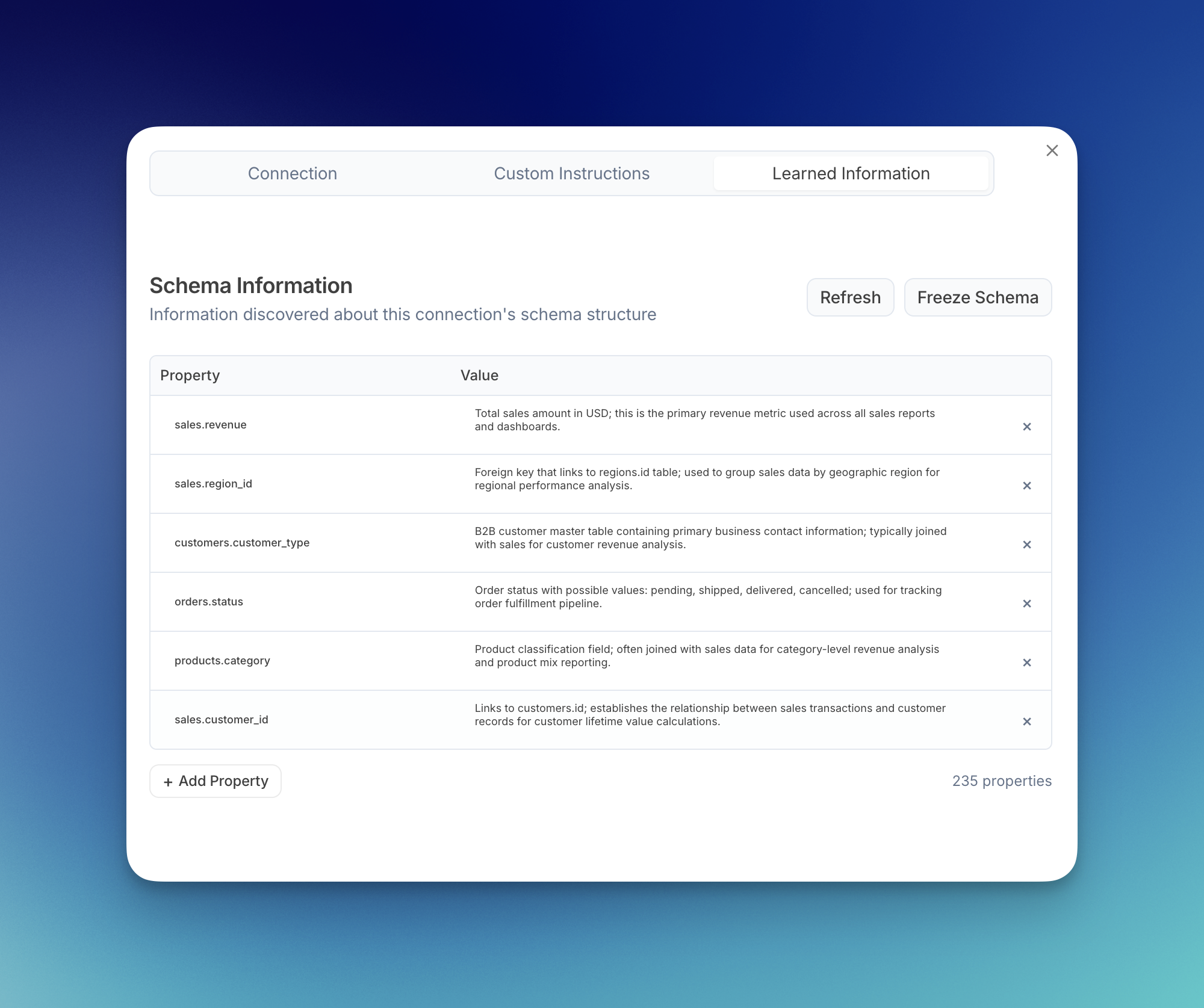
The learned information interface gives you full control over what Julius knows about your data:
Manual Additions: You can manually add schema knowledge by clicking Add Property. This is useful for documenting relationships or business context that Julius hasn’t discovered yet.
Freezing Schema: Use the Freeze Schema option to lock the learned information and prevent automatic updates. This is helpful if you want to maintain consistent behavior.
Refreshing: The Refresh button manually triggers the learning sub agent to analyze your recent conversations and update the learned information immediately.
Deleting Entries: Click the X next to any learned property to remove it. This is useful for removing outdated or incorrect information.