Creating a Team

Create a team workspace to easily share files and threads, and customize how your team uses Julius.

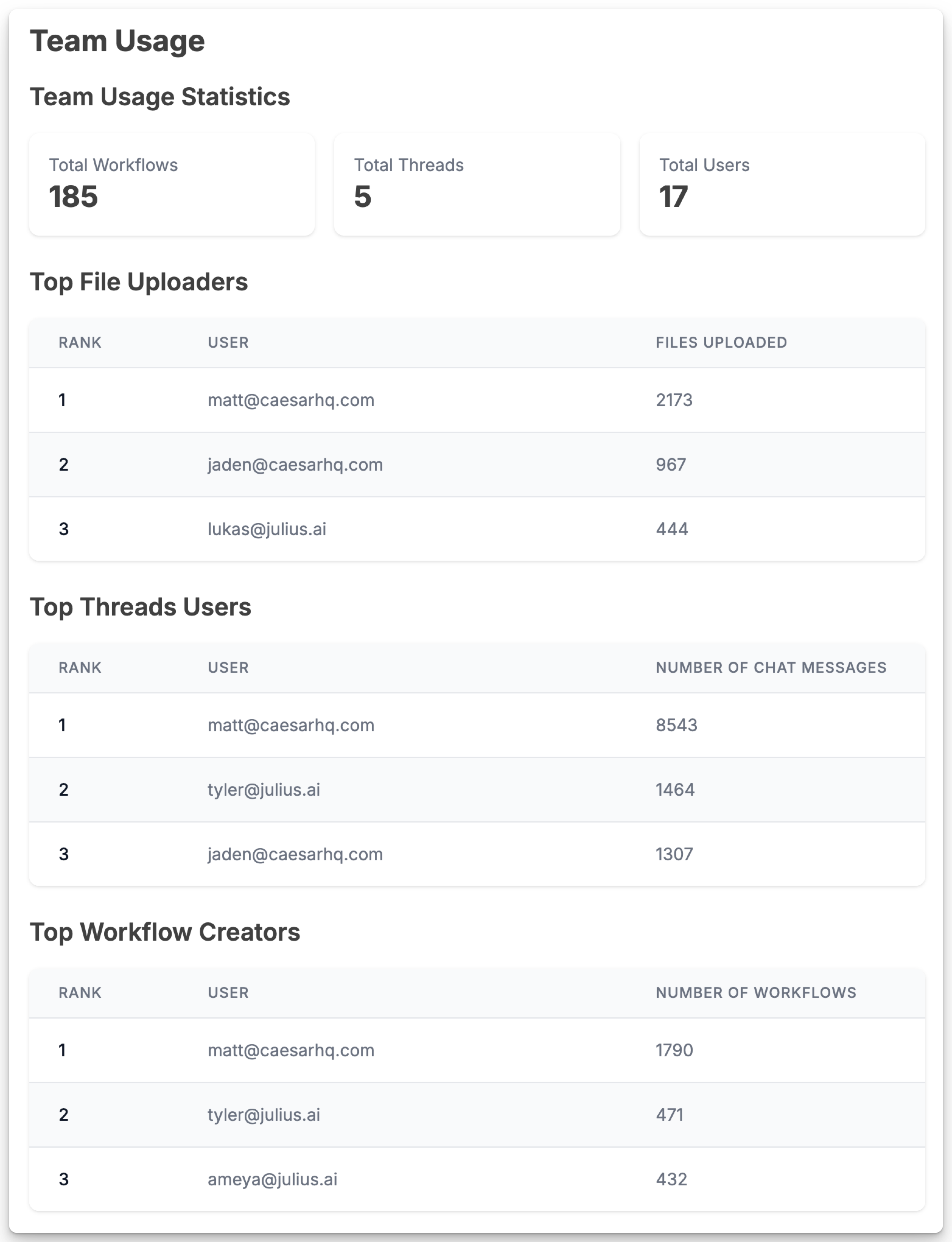
View Team Usage Analytics

Use the Team Usage page to see how your team is using Julius today

Secure your Team

Require users on your team to set up two factor authentication, securing your team workspace.

Invite your team and start collaborating in your own Teams Workspace!

Team plans and joining

Creating a paid team requires purchasing a team plan, such as Business or a Growth tier. A personal Free, Plus, Pro, Max or Ultra account does not by itself create a paid team. Legacy Team subscriptions remain supported for existing customers but are not offered for new checkout. Invited users can join an existing paid team without buying a personal paid subscription, including from a Free account. Joining depends on the team’s subscription, invitation, available capacity and any required multi-factor authentication. See Teams billing for plan billing and limits.