
1
Navigate to the Team Settings page
Go to https://julius.ai/settings/teams to set up your team!
2
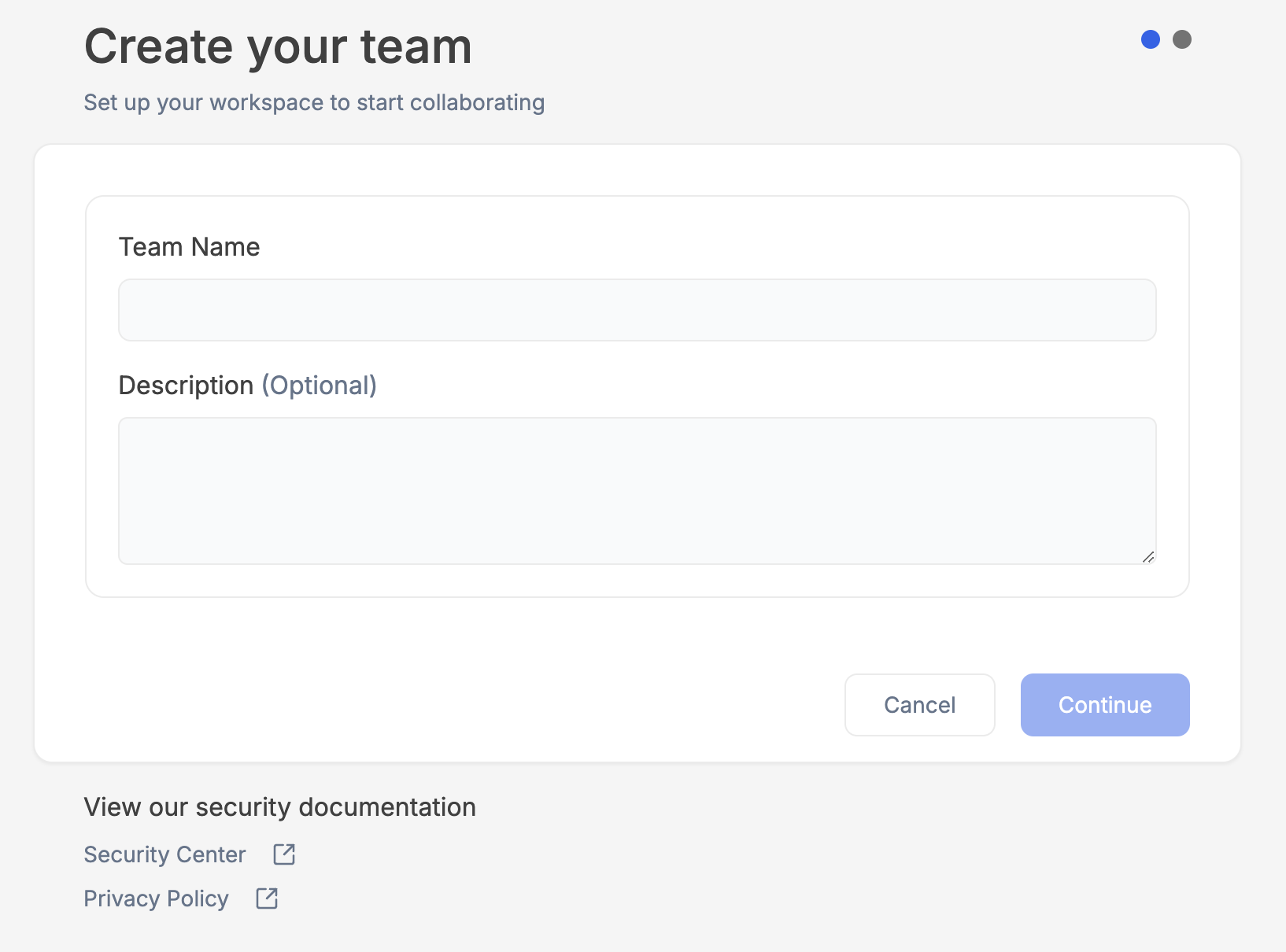
Fill in your Team details
3
Invite members to your team
Enter in the emails of your colleagues you wish to send invitations to. Later you can create a Magic Link to share with colleagues to invite new members!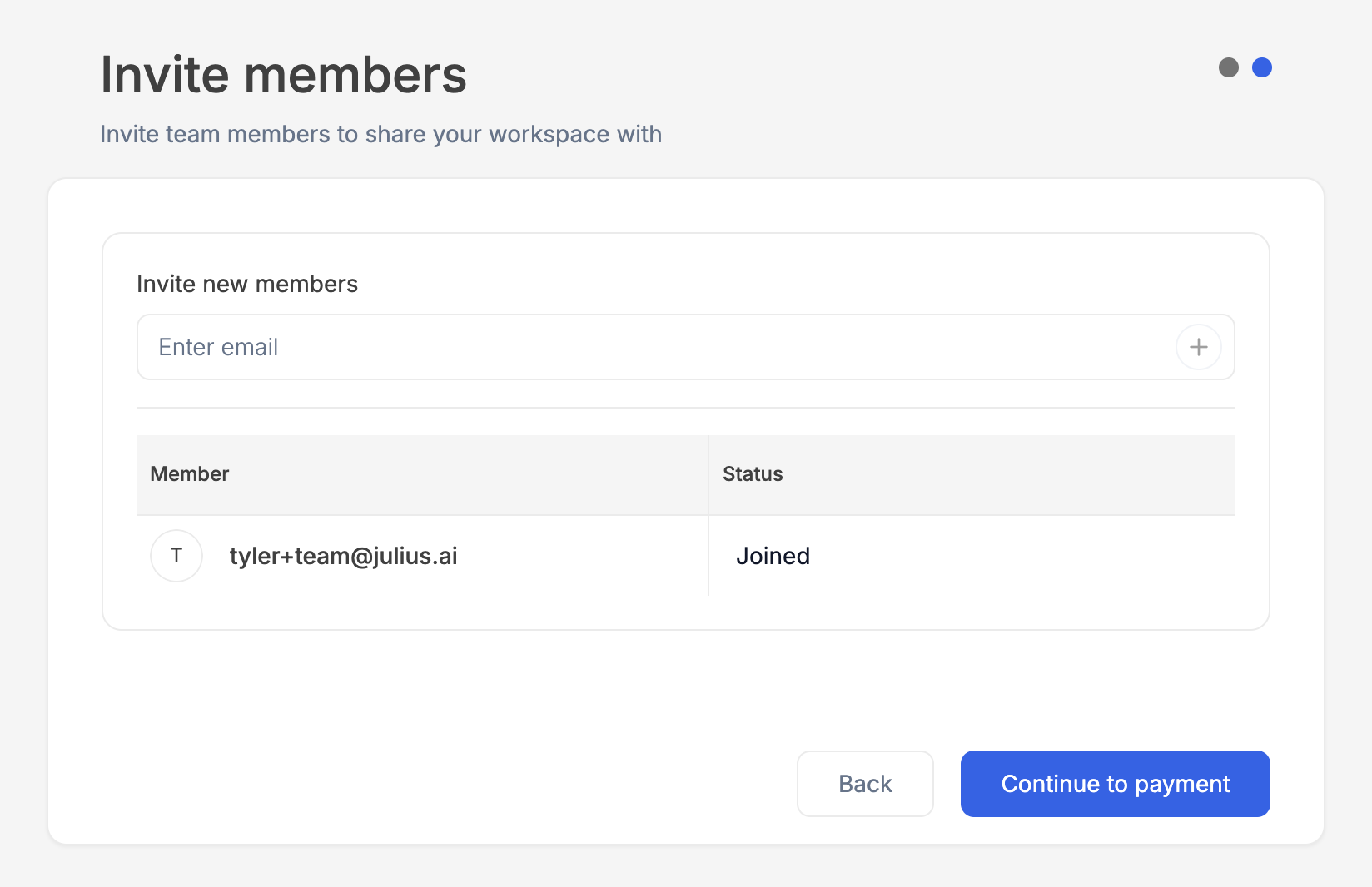
4
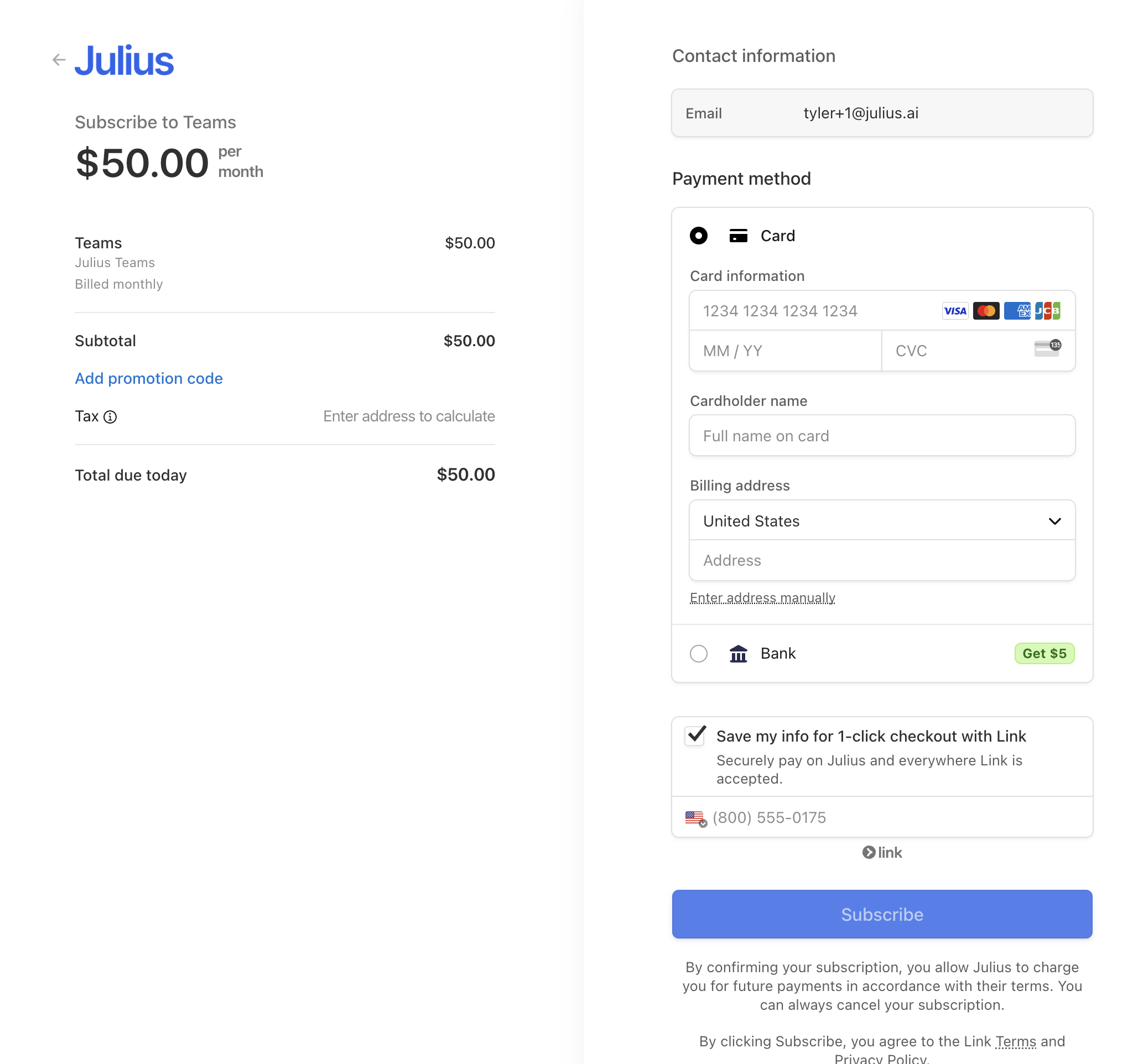
Complete Teams purchase with Stripe
Team plans and joining
Creating a paid team requires purchasing a team plan, such as Business or a Growth tier. A personal Free, Plus, Pro, Max or Ultra account does not by itself create a paid team. Legacy Team subscriptions remain supported for existing customers but are not offered for new checkout. Invited users can join an existing paid team without buying a personal paid subscription, including from a Free account. Joining depends on the team’s subscription, invitation, available capacity and any required multi-factor authentication. See Teams billing for plan billing and limits.Reach out to team@julius.ai for support or to ask questions not answered in our documentation.